


Descriptions:
SAB Lizard, flying and my secret setup!
Beschreibung zum Video:
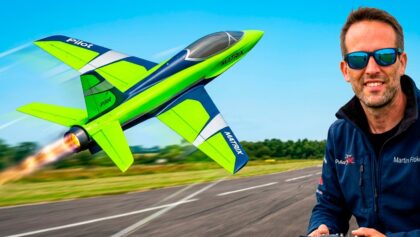
The SAB Lizard is now flying as it should, performing crazy 3D stunts, here is a video showing just some of what it can do and the setup I am using to do so!
#SAB #LIZARD #PickeringRC
Martin Pickering – PickeringRC MERCH!
Official website:
www.Martin-Pickering.com
Online shop:
www.PickeringRC.com
Follow me on social media too!
Facebook: www.facebook.com/Martin.Pickering.PickeringRC
Instagram: www.instagram.com/pickeringrc/
YouTube: www.youtube.com/user/flyin4funflyin/featured
And a massive thanks to all friends, followers and sponsors! You are all awesome!
Martin Pickering
Subscribe on Youtube: Martin Pickering, click here
Freitag – Newsletter zu allen aktuellen Videos der Woche aus 17 Channels, jetzt anmelden!
Vollständiger Text aus dem Video: SAB Lizard, flying and my secret setup!
Hinweis: Text aus der automatischen Spracherkennung aus dem Video ist allgemein bekannt ungenau!
time for some fun [Music] so [Applause] [Applause] foreign [Applause] [Applause] [Applause] [Applause] me [Applause] so [Applause] [Applause] [Applause] [Applause] [Applause] okay as promised here’s a video showing my setup now that i’ve got the lizard 3d doing 3d now i will admit that there’s still things i need to fine-tune but that’s more about me getting used to the airplane than it is about the actual setup itself so here’s how i’ve done it as mentioned in the setup video i tried to keep the radio as simple as possible so i have one switch for the flaps as you can see i need a little bit of up trim for normal flight two or three clicks compared to the center then a little bit of down with the first point of flaps and then a little bit more down with the second point of flaps now i have the flaps all the way in as far as the servos can take them otherwise they don’t really do much so as much deflection as possible and that will help slow it down for landing now the other switch that i use of course aside from the landing gear is the gyro now i have my safety position which is gyro off which is down where nothing moves then we have our flight mode which is where the gyro is on on all surfaces but only with a little bit just for standard flying just to make the plane fly that little bit smoother so you can see on the canard there we have a little bit of movement and as we move you probably can’t really see it but you can hear the servos moving and that has gyro on all surfaces so ailerons elevator canard and vector elevator and both rudders with vector rudder as well and then we have the fun mode which is the full vector which is for hovering and harriers which is gyro on pretty much maximum so you can see especially the vector that is really moving with the gyro so that’s going to make our life in 3d a lot lot easier with any kind of jet we’ll go into the actual numbers itself and you can see what my setup is but just remember that my setup is with the mks 737 servos and the mks arms so unless you have the exact same setup the numbers will only be a reference but it’s a good starting point aylo and gyro position 1 20 game with heading hold on in position 2 we have 30 gain and also heading hold on for elevator we have 30 gain with heading hold in position one and forty percent in position two for the twin rudders we have ten percent gain without heading hold on and then for 3d we increase that to 15 on vector rudder we have 12 for normal flying with heading hold off and a massive 60 with heading hold on for 3d the same applies for elevator with 15 and heading hold on for normal flying and a massive 50 for hovering under the 3d maneuvers [Music] and finally for the canard i use the same rate for both flying settings which is just five percent with heading hold on and just like that we have our setup for the sab lizard and we can go have some real great fun and do all those crazy maneuvers that we wanted to so with that said let’s go have another flight [Applause] [Applause] so [Applause] [Applause] [Applause] so [Applause] [Music] [Applause] [Applause] [Music] [Applause] so [Applause] [Music] [Applause] [Music] [Applause] [Music] there we have it my setup with the sab lizard and a load of fun i still need to get some more flight time on the plane get it really to my liking or more to the point just get used to it myself but either way it’s flying great and i can’t wait to come back again next week to have some more flights with it until then thanks for watching leave us a like subscribe if you aren’t already and we’ll see you all in the next one
Für den Inhalt des Videos ist der VideoCreator: Martin Pickering verantwortlich.
#SAB #Lizard #flying #secret #setup
pickering, source
Tags




20 Comments
Comments are closed.
Martin me gustaría saber donde tienes tu CG para lograr ese hover
Would you share your set up on the core I’m trying to do the same but on a mirage 2000
Excelentes videos Martin, pero tengo una pregunta: Si manejas todos tus gains fijos por flight mode (off, normal, crazy 3D), ¿exactamente cómo se maneja el gain del iSAT?
Hello
How much does the jet cost when it is built up like this?
Martin, first of all thanks for the your setup. Cannot wait to try it. One quick question tho. What is your travels on your transmitter/gyro switch for each flight mode? Thanks in advance.
Martin i’m so happy that I’ve found Your YT chanel – so many good stuff in one place and Your experience and skills are briliant! unfortunately i can’t afford Lizard but i’m wondering if ones use airfoil for tailles plane with relax or typical symetric like naca 0009 for example?
Hi Martin can you tell me how many millimeters of down elevator you added to your half flaps and full flaps/air break to slow down the Lizard jet for landing?
Thanks!
James
Do you have a video of your channel setup for the gyro? How are you controlling all the surfaces with the gyro? I thought you only had 3 per output, elevator has vector, canard, and both elevons.
Just curious how you’re doing it, called powerbox USA and they couldn’t explain.
Hi Martin I purchased my own SAB Lizard. So I wanted to ask to perform all the 3D stunt you did in this video. Is your jet set-up on high rates? I was wondering if I would need to setup my jet on high rates to do all the 3D stuff or will I be able to do them in low rates. I have a Tortuga that I fly on low rates. This is my first turbine jet and first 3D jet.
Thanks Martin for another awesome video. One question, on your final tweaks of this Jet did you go with high rates and lots of expo like you mentioned in one of your earlier videos?
James
this thing might be the ultimate weapon if it was built normal jet sizes for military purpose
Can SAB Lizard EDF version do this (stable in one posotion)?
How does it compare to your special J10?
Hi Martin, did you respect the CG or did you back it up a bit
That thing is incredible!!!!! My new favorite jet. That I'll never own.
Martin, excellent flying! Sending it the way it should be!
Question, what did you ever end up with on a final wet weight for yours? Does the Jetcat 130 vs a 120 make that big of a vertical difference (or am I also seeing a lighter setup!)?
PS, the slippy-slide game when applying brakes on pavement. I had the same thing. The stock JP/SAB gear are very binary and love to lockup. Pop the wheels open, remove the little retainer disc magnets, and enjoy. FAR more linear brake feel afterwards. I only regret that it took blue tire smoke and some flat spots for me to remember I had to do that on my T1 as well 😛
Cheers!
Awesome setup!
Say on the SAB Tortuga with no rudders.. Would you do and mixing with the canard to elevator for a flaps setting?
Just "some of what it can do"…what else?
martin eres muy bueno haciendo acrobacias con el lizard
And now the M169 HAVOK 🙂 this thing looks so cool !!